
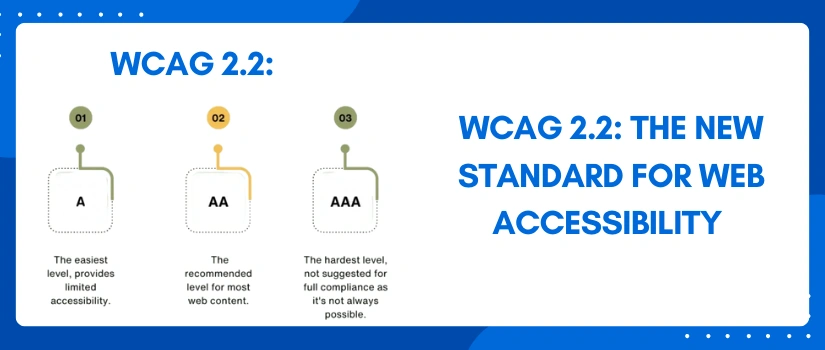
Web accessibility is very important for an inclusive internet. It basically means making sure that everyone regardless of their ability can use your website. The Web Content Accessibility Guidelines (WCAG) are the global benchmark for the same. The latest update web accessibility WCAG 2.2 sets an even higher bar for digital inclusion. This blog post will help you learn about the same and how you can turnaround your website for complete digital inclusion. Let’s get deep into it.
What is Web Accessibility WCAG 2.2?
The World Wide Web Consortium gives all the WCAG standards. They are a set of technical guidelines that are important for creating accessible web content. WCAG 2.2 is the newest version that is built on the WCAG 2.1. WCAG 2.2 introduces nine new criterias. These focus on improving access for users with:
- Cognitive disabilities.
- Low vision.
- Motor disabilities and
- Users on mobile devices.
When you fulfilled all the wcag 2.2 guidelines, your website becomes more usable for over a billion people worldwide. This is simply a good business. It also helps you meet legal requirements in many countries.
Simplified Key New WCAG 2.2 Criteria
WCAG 2.2 adds new rules to make websites better for everyone specially for those using keyboards or mobile devices.
-
Focus and Navigation (For Keyboard Users)
Focus Not Obscured (AA): When you use the Tab key the currently focused item like a button must always be at least partly visible. Sticky headers shouldn’t completely hide the focus indicator.
Focus Appearance (AAA): The focus indicator must be large and have good color contrast at least 3:1 so it’s easy to see.
-
Interactions (For All Users, Especially Mobile)
Dragging Movements (AA): If your site uses drag and drop then you must also provide a simple, single click/tap alternative to it.
Target Size (AA): Buttons and links must be a minimum of 24 x 24 CSS pixels. This makes it easier to precisely tap on a small screen.
Redundant Entry (A): Users shouldn’t have to type the same information again and again during the same process.
-
Help and Security
Consistent Help (A): If a help button or contact link exists then it needs to be in the same consistent spot on every page.
Accessible Authentication (AA): This addresses confusing sign-in processes. Users should not have to rely solely on cognitive tests like remembering passwords or solving complex CAPTCHAs. Rather you need to provide an accessible alternative, like a password manager or a secure copy-paste option.
Why Achieve Web Accessibility WCAG 2.2 Compliance?
It is not about achievement but about building a better web for everyone.
- When you comply with WCAG 2.2 guidelines you create a better experience for every single visitor no matter the disability.
- Secondly in many regions, laws like the ADA (US) and the European Accessibility Act require WCAG conformance. So it saves you from legal risks.
- Up next, many accessibility features also help with better SEO and search rankings.
Concluding Remarks
In summary web accessibility WCAG 2.2 is the current best practice. It ensures your digital content is inclusive, user-friendly as well as legally compliant. So if you wish to take the help regarding the same then our experts are ready on their toes to assist you. The team knows about the guidelines inside out, so they can help you bring out the best. So do not wait further, pick your phone ring at our customer support helping number or simply initiate a live chat for quick and immediate response. We are available 24/7 for your assistance.
